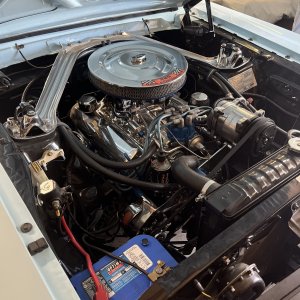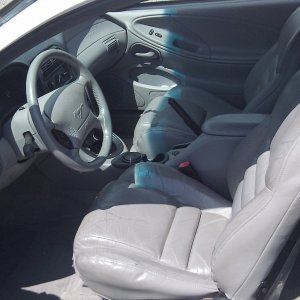
Help please..................

Joe-405

New Member
Joined
Jan 9, 2013
Messages
43
Reaction score
3
Location
Oklahoma
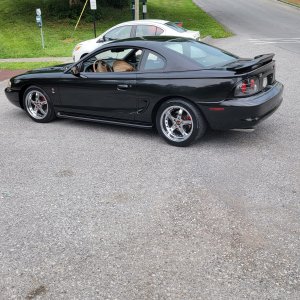
i just had elements 11 downloaded and cant quite figure out the color thing yet or the wheel thing...................

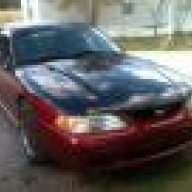
1. my car is the darker blue so i want the red replaced with my blue.

2. and the wheels are the same but mine are the anthracite grey ones.


Other than that this thing is almost dead on to exactly what i want. ( and if its frrom here. THANKS for the pic ! )

227774_565319830163442_972997224_n.jpg
 

Darhawk

Well-Known Member
Joined
Mar 21, 2012
Messages
1,399
Reaction score
143
Location
Salt Lake City area, Utah
I am confused a bit by what your saying. Which car do you want to be photoshopped? Which car is yours the black new edge one? You have to use layers to add wheels and change colors. I might be able to guide you I just am confused as to what your trying to accomplish. Look up " How to change colors in photoshop elements 11" in Google. You will find a lot to help you learn it.
 

whiplash473

Post Whore
Joined
May 12, 2012
Messages
12,640
Reaction score
1,741
Location
Northern IL
im confused too.....from what i gathered out of the first post - your car has the top layer of blue in the pic..but the whole car..and you have fr's like the pic but in anthracite.....so what im confused about is why you couldnt go outside and take a pic of your car and see what you wanna see
 
OP
OP
J

Joe-405

New Member
Joined
Jan 9, 2013
Messages
43
Reaction score
3
Location
Oklahoma
I agree completely BUT my car has faded areas and its on jackstands inside a garage with no front or rear bumper. So it would not come out as good.....................................


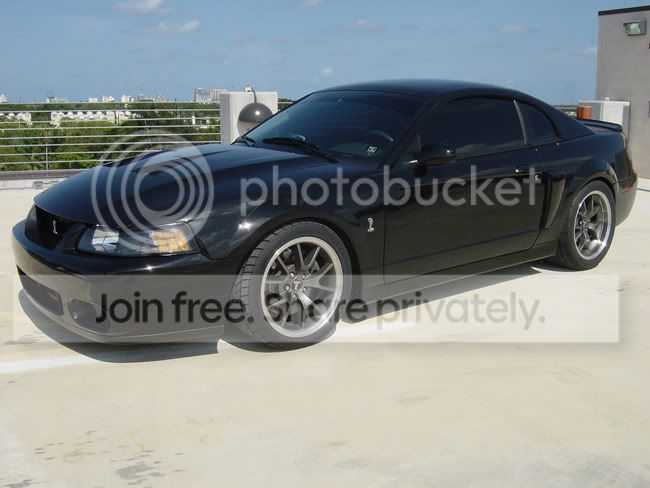
My car will be painted exactly like the car on top but the red is the factory darker blue color and the wheels are anthracite FR500's.

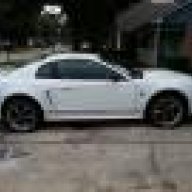
The last pic is a view of the wheels on a car that has the same angle almost. I read the "before" posting a thread and it said to find a correct wheel angle pic to help the photoshop "pro" on here out easier.

I hope this helps.................. And yes pointers will be awesome i am gonna try again here in a few. I have been around computers forever and my uncle owns a software company. But photoshop is all new to me.
 
OP
OP
J

Joe-405

New Member
Joined
Jan 9, 2013
Messages
43
Reaction score
3
Location
Oklahoma
darhawk ..................... I owe you one. I use google all the time didnt even think to use it for myself. lol


I got the color thing down. Just not the wheel transfer thing yet.
 

g36 monkey

Post Whore
Joined
Nov 15, 2008
Messages
14,079
Reaction score
618
Location
Orlando, Fl
Gotcha. He's asking to chop the bottom of the car to be atlantic blue or midnight blue instead of the red. And he wants the deep dish FR's on it in anthracite.

The new edge was just to get an approximate picture of the wheel angle.

I'd help if I knew how to use photoshop, or if I even had it.
 
OP
OP
J

Joe-405

New Member
Joined
Jan 9, 2013
Messages
43
Reaction score
3
Location
Oklahoma
I wish i could thank you many times over !!!!! And yeah thats perfect. I think i was spot on for everything now.
 

m178

New Member
Joined
Jan 20, 2013
Messages
15
Reaction score
0
That's sick! Ilike the hood. My stang has th same skeem but not nearly as pretty.
 
OP
OP
J

Joe-405

New Member
Joined
Jan 9, 2013
Messages
43
Reaction score
3
Location
Oklahoma
Ok i picked blue like you got but i ended up with this color when i used the drop down menu to switch it to the colored option. (i didnt fine tune it but you get the idea i hope)

270870_567962509899174_50413088_n.jpg
 

Darhawk

Well-Known Member
Joined
Mar 21, 2012
Messages
1,399
Reaction score
143
Location
Salt Lake City area, Utah
I used the color silders, to just change the hue and then I darken the lower portion. I didn't pick a color. There is a list of hue. Red, Yellow, Green, Cyan, Blue, Magenta. I change the hue one color at a time. So I new the lower color was red, so I chose the red slider and move it to blue and then used the lighter/darker slider to adjust the color tone. Does that make any sense?
 

Darhawk

Well-Known Member
Joined
Mar 21, 2012
Messages
1,399
Reaction score
143
Location
Salt Lake City area, Utah
Here I made a Gif so you could see all the action. Of course in the blue car you can still see magenta, so I should have change that slider to match the blue also. But I left it so you could just see what happens when you use one slider at a time. I just only used the red slider. Look at the box in the upper right hand of the pic.
hue01_zpsf479ec9d.gif
 

Darhawk

Well-Known Member
Joined
Mar 21, 2012
Messages
1,399
Reaction score
143
Location
Salt Lake City area, Utah
If I had taken the time to do it 100% accurately, I wouldn't have changed things like the taillights to blue. But this is just an example. I would have made everything blue and then make another layer of the red and erase anything I didn't want blue. Layers are the key to using P/S and once you get that down. It gets easier.
 
OP
OP
J

Joe-405

New Member
Joined
Jan 9, 2013
Messages
43
Reaction score
3
Location
Oklahoma
Not using the color sliders was my issue. I just needed to adjust the hue and saturation. Thanks for your help and support.
 

Latest posts

Forum statistics

Threads
78,527
Messages
1,535,654
Members
16,185
Latest member
dmen76

Members online

No members online now.
Top