transparent backgrounds on photoshop and microsoft paint are fairly easy to do.
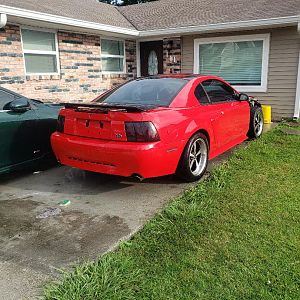
you simply delete the background color (your sig as an example would be the gray fence and green grass and brown mud) this leaves only the car. Then you save the image. You **MUST** save the image as either a .PNG or a .GIF (png, having a higher quality)
some programs (such as Microsoft image composer) will ask you to define what color you want to be transparent. If this is the case, provide an off-the-wall color as the background (such as hot-pink, that way any pixels that get "transparent" dont effect the picture much) and tell it to make that same color the transparency. The program will go through and make ever pixel that maches that color transparent.
I struggled to get transparentcies to work on my signiture, so i simply took a screen shot of the SN95 Forums (Prnt Scrn button on the top right of the key board) and copied and pasted the SN95 background color as my background color. My sig looks great on this forum, but terrible on others (svtperformance has a black background, not gray, for example)
hope taht helpped!