
Echo
Active Member
This write-up is a work in progress. It needs pictures, probably some better organization, and a few links here and there. Hopefully it won't remain in progress for long. I'll be adding step-by-step pictures to this write-up tonight (...maybe). My work-place doesn't really smile upon downloading and uploading things on their computers. Go figure.
So after browsing around these forums, I was pretty excited to find DIY instructions on how to swap out my Gauge lights, and HVAC lights with super-bright LEDs, which actually turns all the lights a bright blue. Everyone was doing this with great results, and I also found a set of instructions on how to switch your clock pod so that it too was blue. So now everything in your car can match, right!?
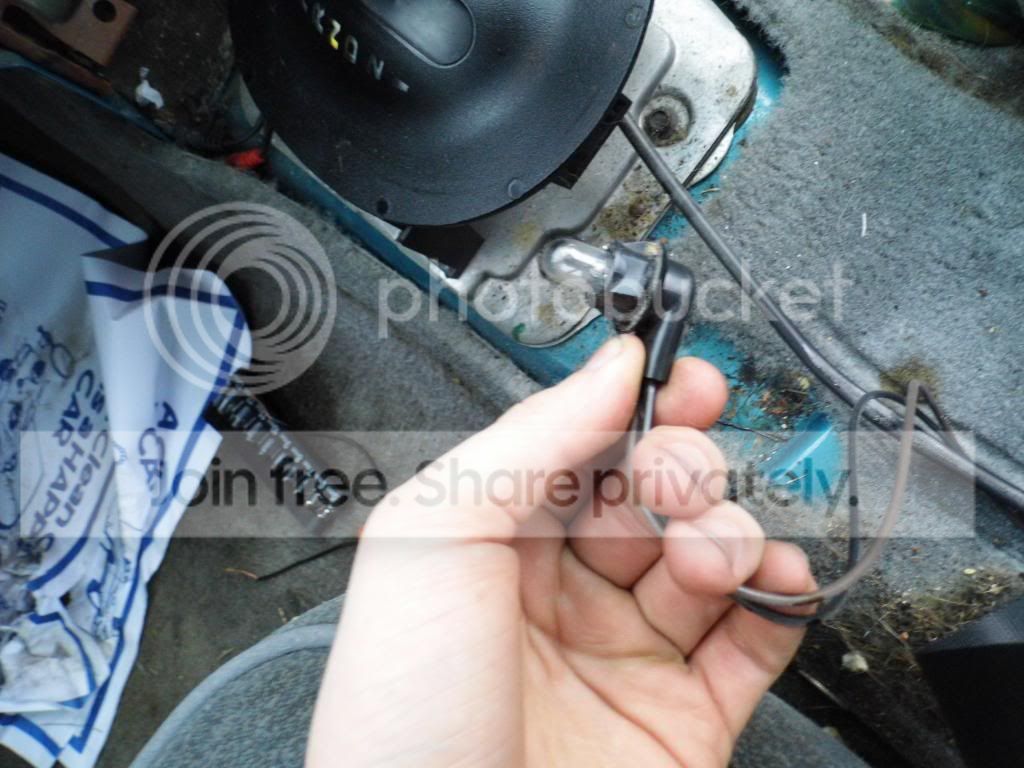
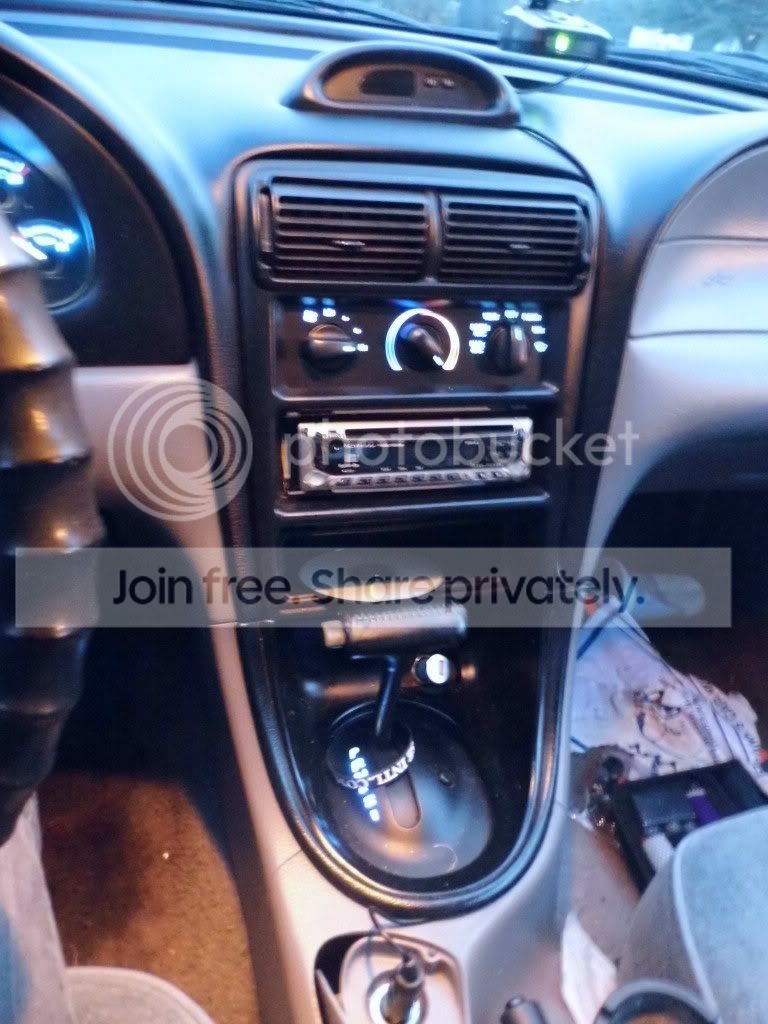
Well, not really. The last set of lights up front that illuminates itself in that sickly green color are the shift indicator lights for an automatic. I don't know what a manual is like, so I'm going to pretend they don't exist. When everything else is lighting up a pretty blue, these lights are a real eyesore. So after doing some research I was able to find out a few things. 1) No one has a done a write-up on how to swap out this light with a super-bright LED. 2) The bulb size is the same as the bulbs used in the gauge cluster and HVAC. And, 3) A text-only instruction on how to get to that damned bulb. So while I was swapping out my HVAC lights (I did my gauge a few days ago) I decided to do this as well. I imagine that it about doubled the time it would have taken me, to do just my HVAC lights. For the record, this write-up will be written from the point of view of a complete novice to pretty much everything that’s getting written about. So if I can do it, so can you. Anyways, that’s a good enough introduction to this, let's get started.
I should probably mention that this is only going to work for a 94-95. If you have a different year, this will not make you lights blue. Browse some other write-ups a little bit for more information on this little tidbit.
Things you will need;
T20 torx screwdriver, preferably once with a long, skinny shaft.
-It turns out that in the center console removal write-up, and in the Gauge/HVAC swap write-up a T15 torx was used. When doing my swaps, I used a T20 all the way, but found a T15 to do the job. Pretty sure the correct size is T20 but use what ya got.
1 Super-bright White LED light, Socket 194/168
-I got my lights from here; (Amazon - Thx to 5ptSlow for that link!) This is a set of 10 LED lights. This gives you 5 for the gauge, 2 for the HVAC, 1 for the Shift Lights, and 2 to put either in your license plate lights, or you can throw one into your trunk and keep a spare. From what I've heard these give more even coverage than the LEDs from Superbright LEDs' website, and I can't say I'm complaining from my end result.
Patience
This write-up here is also helpful in removing the center console, in case you can't understand mine, for whatever reason.
So after browsing around these forums, I was pretty excited to find DIY instructions on how to swap out my Gauge lights, and HVAC lights with super-bright LEDs, which actually turns all the lights a bright blue. Everyone was doing this with great results, and I also found a set of instructions on how to switch your clock pod so that it too was blue. So now everything in your car can match, right!?
Well, not really. The last set of lights up front that illuminates itself in that sickly green color are the shift indicator lights for an automatic. I don't know what a manual is like, so I'm going to pretend they don't exist. When everything else is lighting up a pretty blue, these lights are a real eyesore. So after doing some research I was able to find out a few things. 1) No one has a done a write-up on how to swap out this light with a super-bright LED. 2) The bulb size is the same as the bulbs used in the gauge cluster and HVAC. And, 3) A text-only instruction on how to get to that damned bulb. So while I was swapping out my HVAC lights (I did my gauge a few days ago) I decided to do this as well. I imagine that it about doubled the time it would have taken me, to do just my HVAC lights. For the record, this write-up will be written from the point of view of a complete novice to pretty much everything that’s getting written about. So if I can do it, so can you. Anyways, that’s a good enough introduction to this, let's get started.
I should probably mention that this is only going to work for a 94-95. If you have a different year, this will not make you lights blue. Browse some other write-ups a little bit for more information on this little tidbit.
Things you will need;
T20 torx screwdriver, preferably once with a long, skinny shaft.
-It turns out that in the center console removal write-up, and in the Gauge/HVAC swap write-up a T15 torx was used. When doing my swaps, I used a T20 all the way, but found a T15 to do the job. Pretty sure the correct size is T20 but use what ya got.
1 Super-bright White LED light, Socket 194/168
-I got my lights from here; (Amazon - Thx to 5ptSlow for that link!) This is a set of 10 LED lights. This gives you 5 for the gauge, 2 for the HVAC, 1 for the Shift Lights, and 2 to put either in your license plate lights, or you can throw one into your trunk and keep a spare. From what I've heard these give more even coverage than the LEDs from Superbright LEDs' website, and I can't say I'm complaining from my end result.
Patience
This write-up here is also helpful in removing the center console, in case you can't understand mine, for whatever reason.
As an Amazon Associate we earn from qualifying purchases.