Los Angeles - Blue Sky & a Red Mustang

Red96GT

Legend
Joined
Sep 23, 2006
Messages
5,316
Reaction score
1
SRT Handz said:
Red said:
I'm all for a little bit of photoshop but some of them are a little too strong for my taste. Looks clean as usual though. :xmascheers:

I took all the Pics in RAW format, the pics are just post processed

Exactly, the post processing is a bit too much for me, and #4 is a much better picture.
 

Black97GT

Post Whore
Joined
Jun 4, 2006
Messages
13,338
Reaction score
2
Nice man! These are probably IMO some of the best pics I have seen of your car :santa_afro: :santa_afro:

Also I would say go with #4 for the competition as well!
 

94darkhorse

Legend
Joined
Oct 18, 2006
Messages
5,991
Reaction score
2
Location
Idawahio
Looks great. I like # 6 but it has to much of a green tint to it, so I'd say #2 as well. BTW it looks like your fog lights are a little yellowed.
 
OP
OP
S

SRT Handz

Post Whore
Joined
Jan 12, 2006
Messages
11,487
Reaction score
168
Mystikal said:
Looks great. I like # 6 but it has to much of a green tint to it, so I'd say #2 as well. BTW it looks like your fog lights are a little yellowed.

They are yellow, I did the yellow fog Mod with Yellow Lamin-z and used Yellow Nokya Bulbs

IMG_2189.jpg
 

Hellion94

Well-Known Member
Joined
Jun 14, 2006
Messages
1,400
Reaction score
8
I think out of all of those, #2 is the best. That's the one I would stick with.

Some of the others have really nice color, but the backgrounds are distracting or don't compliment the car well enough for me.

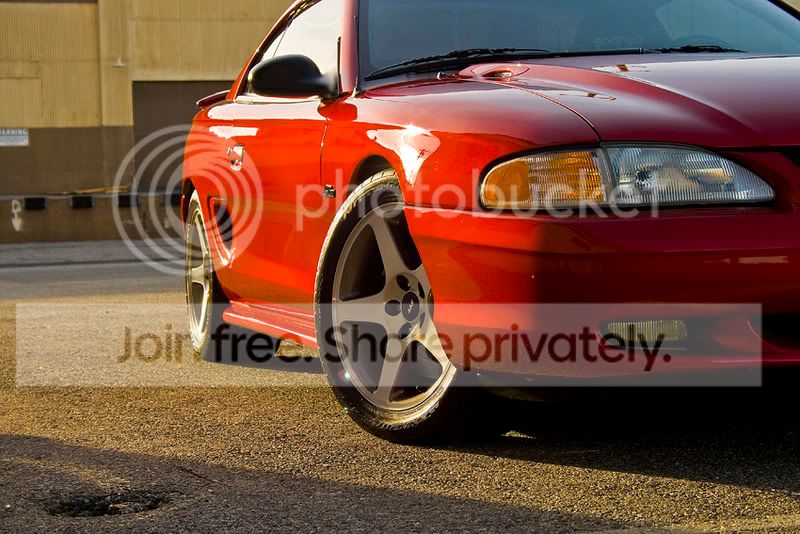
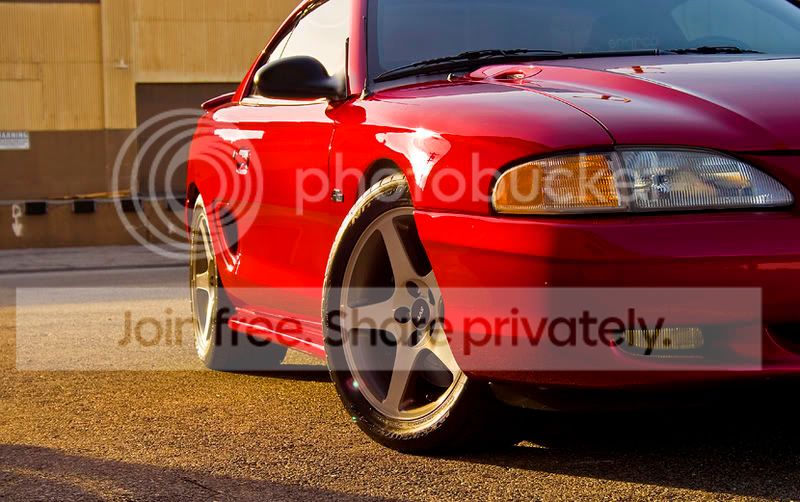
EDIT - Here's what I would do. I think that this crop takes out some of the distractions (like the mini pothole at the bottom left) and puts more focus on the car. I messed with the color some too. I'm not trying to say that it's a bad picture, because it's not, just trying to help you out for that photo contest.

Original:

IMG_0570Resized.jpg


Edited:

handz.jpg
 
OP
OP
S

SRT Handz

Post Whore
Joined
Jan 12, 2006
Messages
11,487
Reaction score
168
Wow hellion, Itlooks really Good, Thanks alot for the advice, i think i will start using that technique or removing distractions :santa_afro:
 

Hellion94

Well-Known Member
Joined
Jun 14, 2006
Messages
1,400
Reaction score
8
It's good to take a look at the picture after you take it, and just try different crops in PS until you get one that really pops out at you. Little things like the pothole are easy to miss until you start messing around with the pics.

The color stuff I did for that picture was this:

1. Increase saturation by 10 on entire picture
2. Went to Image > Adjustments > Color Balance with values like this from left to right, -6, -12, +6
3. Selected just the body of the car with the polygon lasso and made it a separate layer
4. Went to Image > Adjustments > Hue and Saturation, and did +6 on the Hue and +12 on the Saturation.

Make sure to remove the headlights and fog lights from the new layer, so their color isn't adjusted.

Hope that all helps.

 

Forum statistics

Threads
78,554
Messages
1,536,114
Members
16,201
Latest member
jgib8795

Members online

Top